SharePoint Countdown Timer Web Part
The SharePoint countdown timer web part from ThePoint turns any section of your intranet into a high-impact countdown or count-up. Build excitement for product launches, surface deadlines nobody can miss, and celebrate milestones with a visual that fits your brand. Drop it on a page, pick a target date, choose a display style, and theme it to fit.
Annual licence · secure Stripe checkout · VAT added at checkout
The Problem
A launch, an enrolment deadline, a go-live - the date matters, but it gets buried in a news post nobody scrolls to. By the time people notice, the moment has passed. Buried dates mean missed deadlines, low turnout, and launches that land with a shrug.
The Solution
Countdown puts the date front and centre on your SharePoint homepage. Drop it on a page, set a target date, choose a style, and theme it to fit. It builds visible anticipation every time someone opens the intranet - no code, nothing to maintain, impossible to miss.
See It in Action
A Closer Look at Countdown
What You Get
A timer that looks designed, not bolted on - and never needs touching once it's live.
Count Down or Count Up
Count down to a date, or count up from one. Same web part, two modes - perfect for launches, deadlines, and days-since milestones.
Six Display Styles
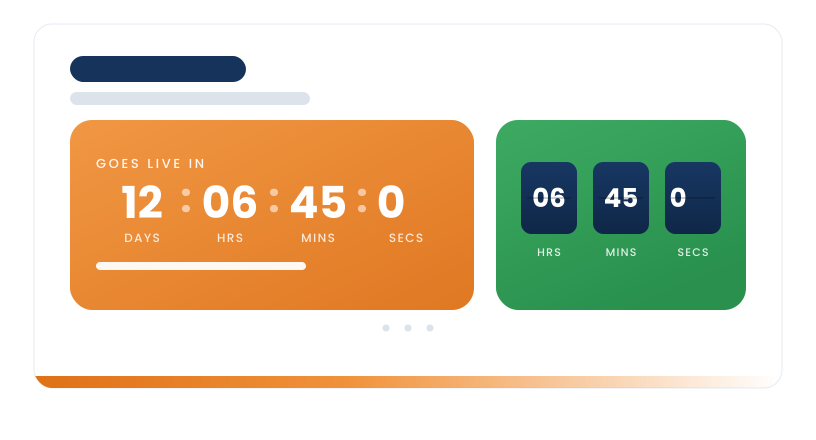
Digital, pie, ring, flip cards, minimal, and a milestone bar. Pick the look that suits the moment and the page it sits on.
Three Layout Sizes
Thin, regular, and wide, so the timer fits a narrow column or a full-width section without looking lost or cramped.
Configurable End Actions
Decide what happens at zero: show a message, switch to counting up from zero, or show a message and stay put.
Rich Backgrounds
A solid colour from a custom hex code, plus gradient, mesh, glass, and image styles - all set straight from the page editor.
Matches Your Branding
Inherits your SharePoint site theme automatically, or override the primary and accent colours to hit an exact brand.
Show Only What You Need
Toggle seconds, unit labels, and the "counting" eyebrow on or off for a clean, intentional finish.
Never Renders Broken
A built-in space advisory prompts for a wider column when your chosen layout needs more room, so the timer never truncates.
Who It's For
Built for the People Driving the Moment
Anyone who needs the whole organisation looking at the same date - straight from the SharePoint homepage, with no code and nothing to maintain.
Internal Comms
Build anticipation for launches, campaigns and all-hands moments without writing yet another news post nobody reads.
HR & People
Make enrolment windows, benefits deadlines and onboarding dates impossible to miss on the intranet.
Project & Change
Put a clear go-live or cutover date in front of everyone, so the whole business moves to the same clock.
Intranet & IT Teams
Hand owners a polished, on-brand timer they can configure themselves - no tickets, no custom code.
Pricing
One App, One Simple Price
Buy Countdown on its own and check out in 60 seconds. Building a full intranet? It sits neatly alongside the rest of the catalogue - see the bundles below.
Countdown
Just this app, no bundle commitment.
- Countdown timer for any SharePoint page
- All six display styles and three layout sizes
- Count-down and count-up modes
- Step-by-step admin install guides
- Annual licence renewal
- Email support
- Managed install service on request
Secure checkout via Stripe
All licences are annual. Prices exclude VAT.
After You Buy
How the Standalone Purchase Works
From Stripe checkout to Countdown live on your intranet - here's what happens.
Checkout via Stripe
Secure card or direct debit payment. VAT applied at checkout. Receipt emailed instantly.
Get Your Install Pack
Within one business day we send your licence key, the Countdown package and step-by-step admin install guides.
Your Admin Installs
Your SharePoint or 365 admin adds Countdown to your tenant app catalogue using our guides and applies the licence key. Prefer us to do it? A managed install service is available on request.
You're Live
Add Countdown to any page, set a date and style, and you're done. Renewal is annual - we'll remind you ahead of time, with no auto-renewal.
Better Value Together
Building Out a Modern Intranet?
Countdown works beautifully alongside the rest of the catalogue. If you need more than one app, the bundles work out significantly cheaper per app than buying individually.
The Essential 5
Welcome Banner, News Carousel Pro, Employee Directory, Important Message and App Launcher. Everything you need for a modern-looking homepage.
View Starter Bundle →
All 18 Apps
The Starter 5 plus 13 more: recognition, personalised email and calendar, navigation, polls, org chart and more. The complete toolkit.
View Complete Bundle →
Questions About Countdown
Put the Date Where Everyone Will See It
Buy Countdown for £249 a year and your admin can have it live on your SharePoint homepage within days, using our step-by-step guides. Or book a demo if you'd rather see it first.
Secure Stripe checkout · Annual licence · VAT added at checkout