Welcome Banner
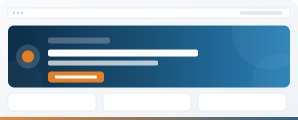
Greet each user by name with their photo, role and personalised quick links. Turn a generic homepage into a dynamic, user-focused experience that drives daily return visits.
The Problem
Your intranet homepage looks the same for everyone. No personalisation, no reason to come back daily. People bookmark the pages they need and skip the homepage entirely.
The Solution
Welcome Banner greets each user by name with their profile photo, job title and department. Add configurable quick links and time-based greetings to make the homepage feel purpose-built for each person.
Three Layouts
Regular, Small and Slim
Welcome Banner ships with three layout options. Pick the one that fits your page real estate. Click any screenshot to view full size.
What You Get
User Profile Display
Automatically pulls name, photo, job title and department from Microsoft 365 profiles. No manual configuration per user.
Configurable Quick Links
Add shortcut links to key resources, systems or pages. Different link sets for different audiences using audience targeting.
Time-Based Greeting
Dynamic greeting that changes based on time of day. Displays current date for quick reference.
Three Layout Options
Regular for a full-impact homepage banner, Small for mid-page placement, Slim for tight real estate. Switch layouts per page without reconfiguration.
Theme-Aware Styling
Inherits your SharePoint site theme colours and fonts. Looks professional on any branded site.
Property Pane Configuration
Toggle elements on or off, choose layout style and configure links - all without code changes.
Included In
Welcome Banner Is Part of Both Bundles
Web parts are sold as bundles, not individually. Welcome Banner is one of the Starter 5 and is also included in Complete.
The Essential 5
Welcome Banner plus News Carousel Pro, Employee Directory, Important Message and App Launcher. Everything you need for a modern-looking homepage.
View Starter Bundle →
All 18 Web Parts
The Starter 5 plus 13 more: recognition, personalised email and calendar, navigation, polls, org chart and more. The complete toolkit.
View Complete Bundle →
Questions About Welcome Banner
Make Your Intranet Personal
Book a 30-minute demo to see Welcome Banner running on a real SharePoint tenant, or explore the bundles.