Rate my Day
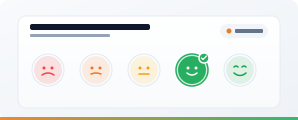
A one-click daily pulse check that sits on the intranet homepage. Employees tap an emoji, a number or a custom label and move on - you get a real-time stream of sentiment data you can actually use. Lower friction than a survey, richer signal than an engagement score once a year.
The Problem
Most companies measure employee sentiment once a year through a formal engagement survey. By the time results arrive, the mood has shifted and the questions have gone stale. Between surveys, leadership has no idea whether morale is up, down or drifting. Rolling out a full pulse-survey platform feels like overkill. So nothing gets measured - and problems show up as retention stats six months late.
The Solution
Rate my Day is a lightweight daily pulse embedded in the place people already visit. One tap, one rating, done in a second. The data accumulates in a SharePoint list, visible to leadership as Power BI dashboards or list views. You spot trends - an office having a bad week, a department heading south after a reorg - while there's still time to react.
Pick Your Scale
Emoji, Number or Custom Labels
Choose the scale type that fits your culture. Configure it through the property pane - no code changes needed.
Emoji
Expressive and instant. Lowest friction - works for any team, any language.
Number
Clean numeric scale. Easier to aggregate in dashboards and report on over time.
Custom Labels
Plain-English words you define. Useful when emojis feel wrong for your culture.
See It in Action
Real SharePoint Deployments
Screenshots coming soon. Rate my Day running on customer tenants.
What You Get
Sentiment data in the place people already visit, with no survey fatigue.
One-Tap Submission
Users tap a rating and they're done. No questionnaire, no free-text box, no "please rate the following dimensions". The lower the friction, the more data you get.
Configurable Scale
Choose emoji, number or custom labels through the property pane. Swap scales on any page, any time - no redeployment needed.
Customisable Prompt
Default prompt is "How's your day?". Change to "Rate this week", "How was the all-hands?", or anything else. Vary the question without changing the web part.
Attribution With Anonymisation Option
Submissions are attributed to the signed-in user by default. If you need aggregate-only reporting, a Power Automate flow can strip identity on write and keep just department, office and date.
Data in a SharePoint List
Every submission is a row: rating, timestamp, user, department, office. Use list views for quick trend analysis, export to Excel, or connect to Power BI for proper dashboards.
Responsive and Teams-Ready
Works on desktop, mobile and Teams tabs. Field-based staff can rate from a phone in the same tap as office staff from a laptop.
Included In
Rate my Day Is Part of the Complete Bundle
Web parts are sold as bundles, not individually. Rate my Day is one of the 13 web parts added in Complete, on top of the Starter 5.
Looking for the basics only? See the Starter Bundle →
Questions About Rate my Day
Measure Sentiment Between Surveys, Not Instead of Them
Book a 30-minute demo to see Rate my Day running on a real SharePoint tenant, or explore the Complete bundle.